
1. What is the EV MemProt Atlas?
EV MemProt Atlas is an online database developed by the National Center for Protein Science (Beijing). It contains a manually curated and annotated catalogue of human extracellular vesicle membrane proteins with corresponding supporting literature. All datasets were screened by combining public EV database mining and literature text mining, followed by manual verification and collation.
2. How to search the EV membrane proteins, the EV protein-related diseases and their supporting literature evidence?
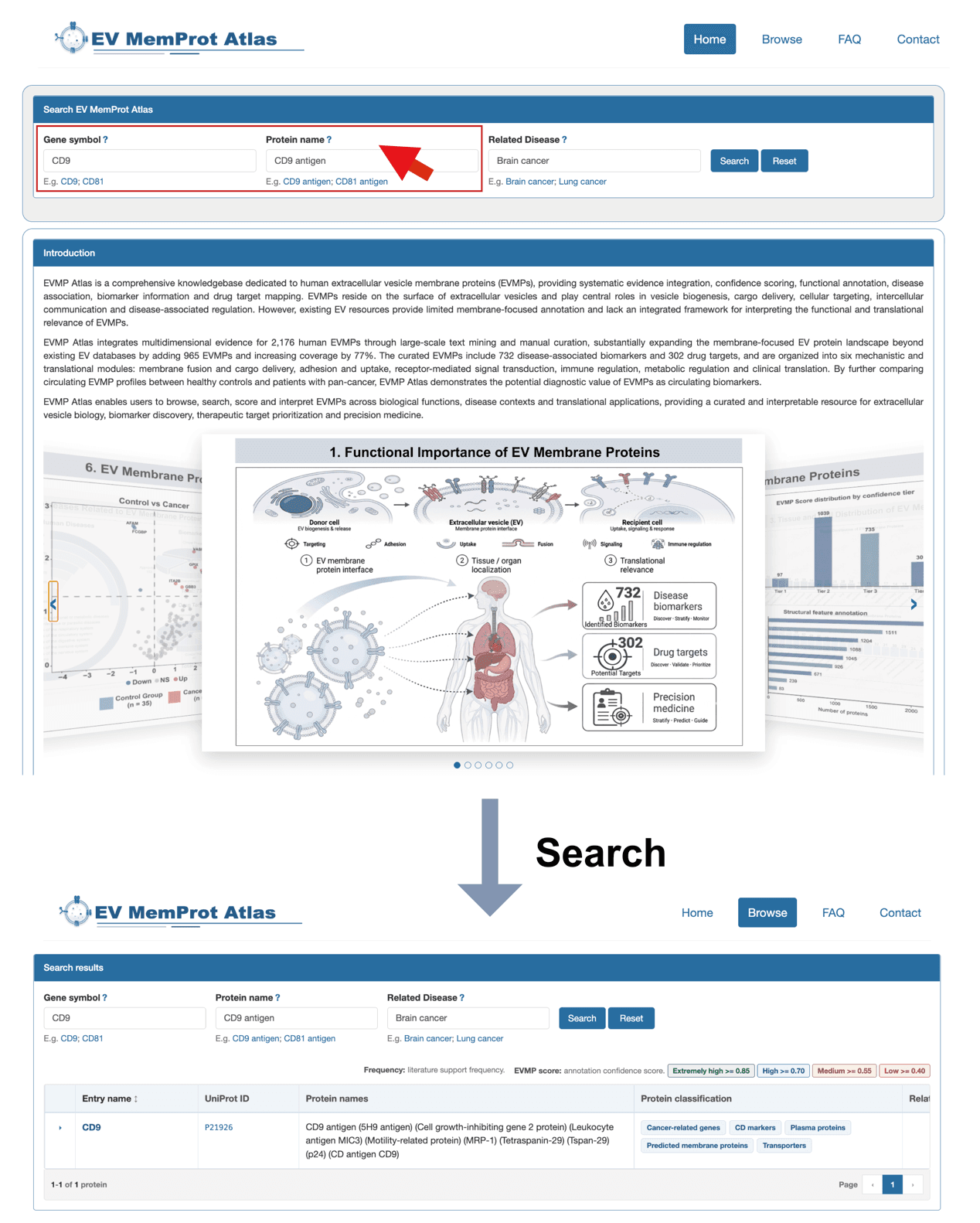
EV MemProt Atlas provides three search entry points: Gene symbol, Protein name and Related Disease.
Search by Gene symbol or Protein name
Users can input a gene symbol or protein name into the corresponding search box. A dropdown menu will auto-complete gene/protein symbols available in EV MemProt Atlas. After selecting a target entry and clicking the "Search" button, the system will return search results in a table that lists EV membrane proteins, associated diseases, and corresponding supporting literature evidence. Clicking the "Reset" button clears all entered search terms.
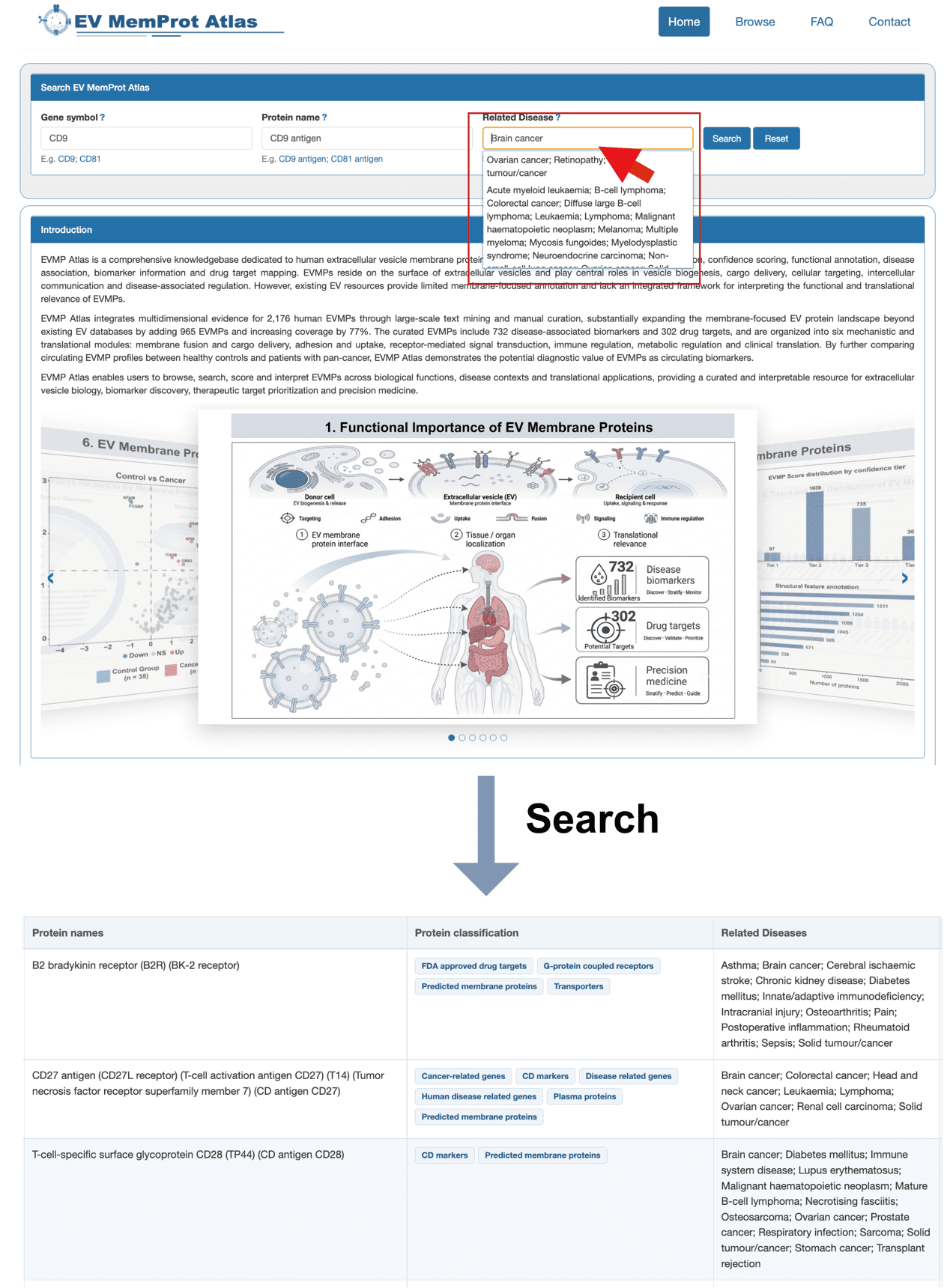
Search by Related Disease
Users can enter a disease name in the "Related Disease" search box. A dropdown menu will auto-complete disease terms stored in the database. After selecting a disease entry and clicking "Search", the engine generates result tables displaying matched EV membrane proteins, their linked diseases, and relevant literature evidence. The "Reset" button erases all input search criteria.
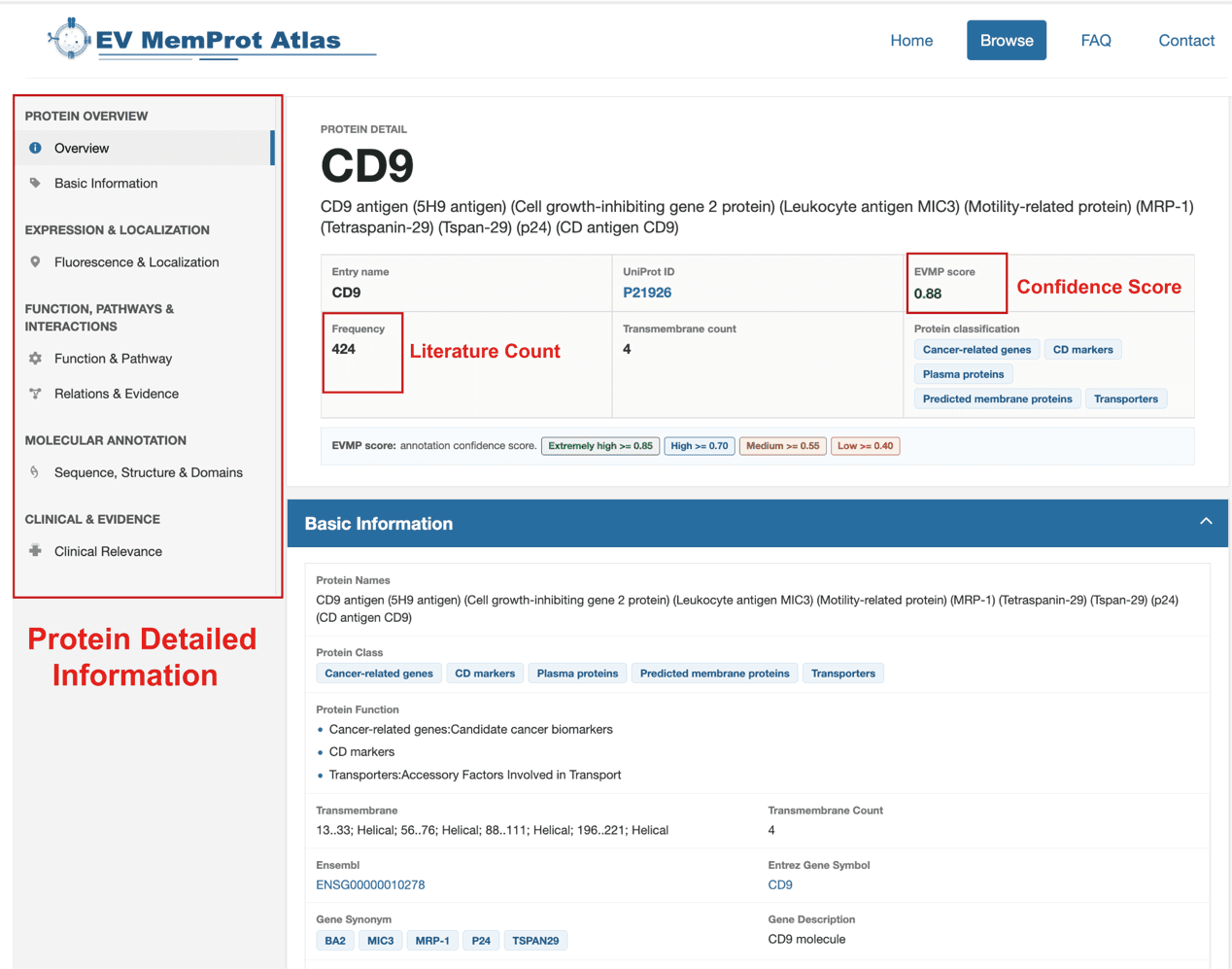
Clicking hyperlinked protein or gene symbols within search results opens the protein detail page. This page delivers comprehensive information on the target protein, including Ensembl and UniProtKB accession IDs for manual cross-reference queries.
3. How to sort and filter proteins on the browse page?
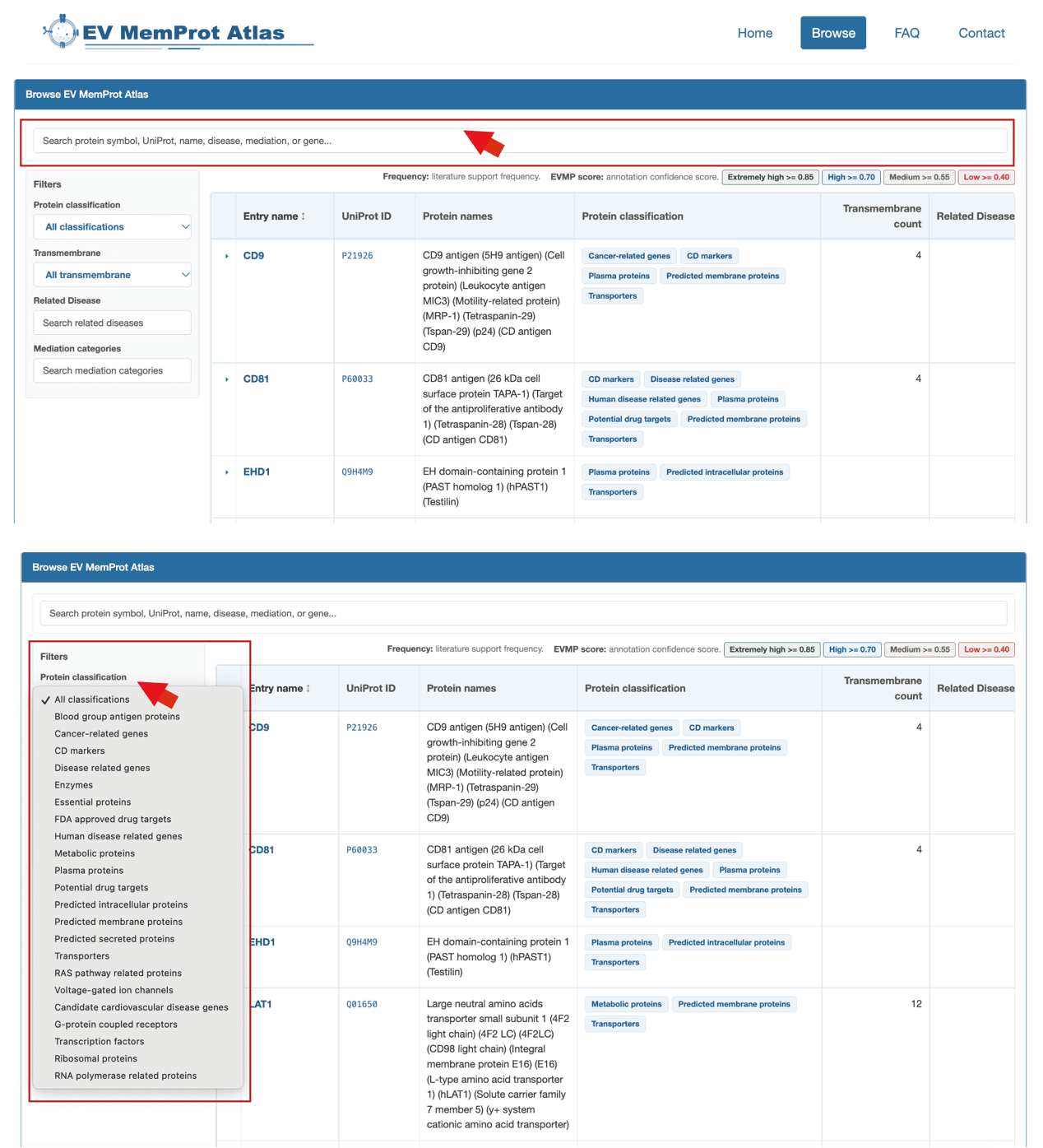
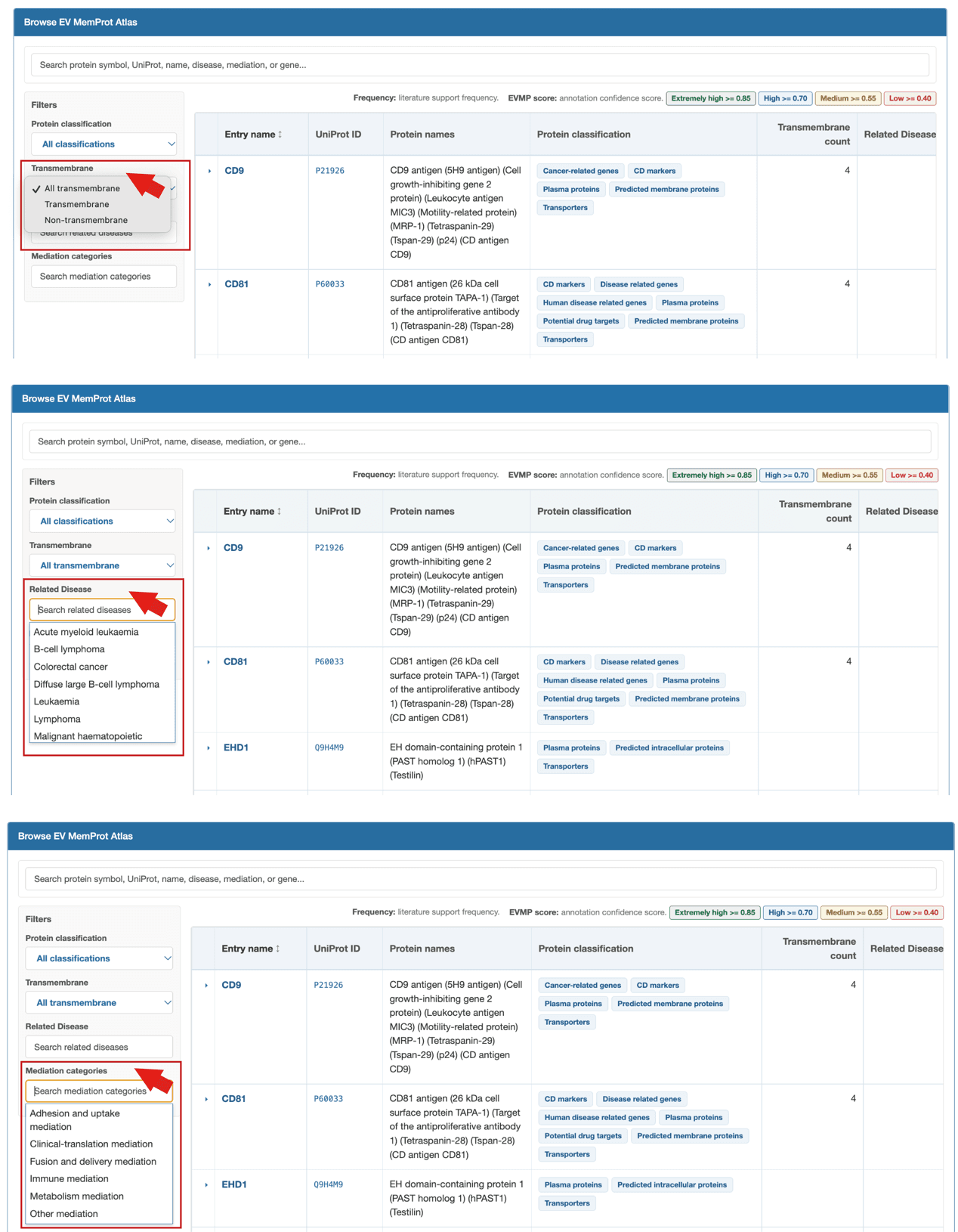
Users may click triangle icons on column headers to sort table entries. The top search box supports fuzzy protein matching; four dropdown filter menus are available in the system to screen proteins by protein classification, number of transmembrane domains, function-mediated pathways and associated diseases. Click hyperlinked protein symbols to view full detailed information on the target protein.
4. How to retrieve and download extracellular vesicle membrane protein datasets?
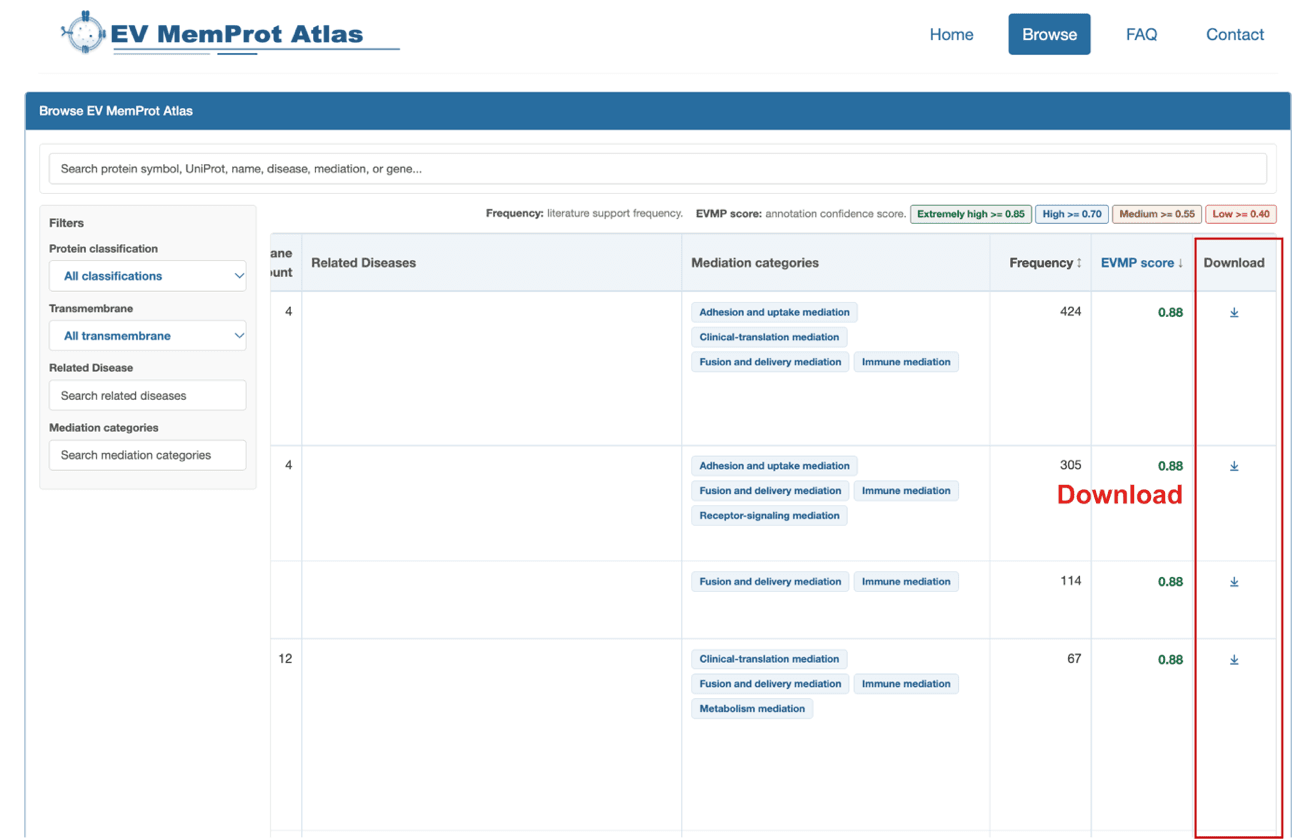
Users can access the Browse tab on the navigation bar to view the complete dataset of human EV membrane proteins and bulk download all literature-verified entries. Alternatively, users may search for specific proteins to download their respective data individually.
5. How to search a single protein and access original database links?
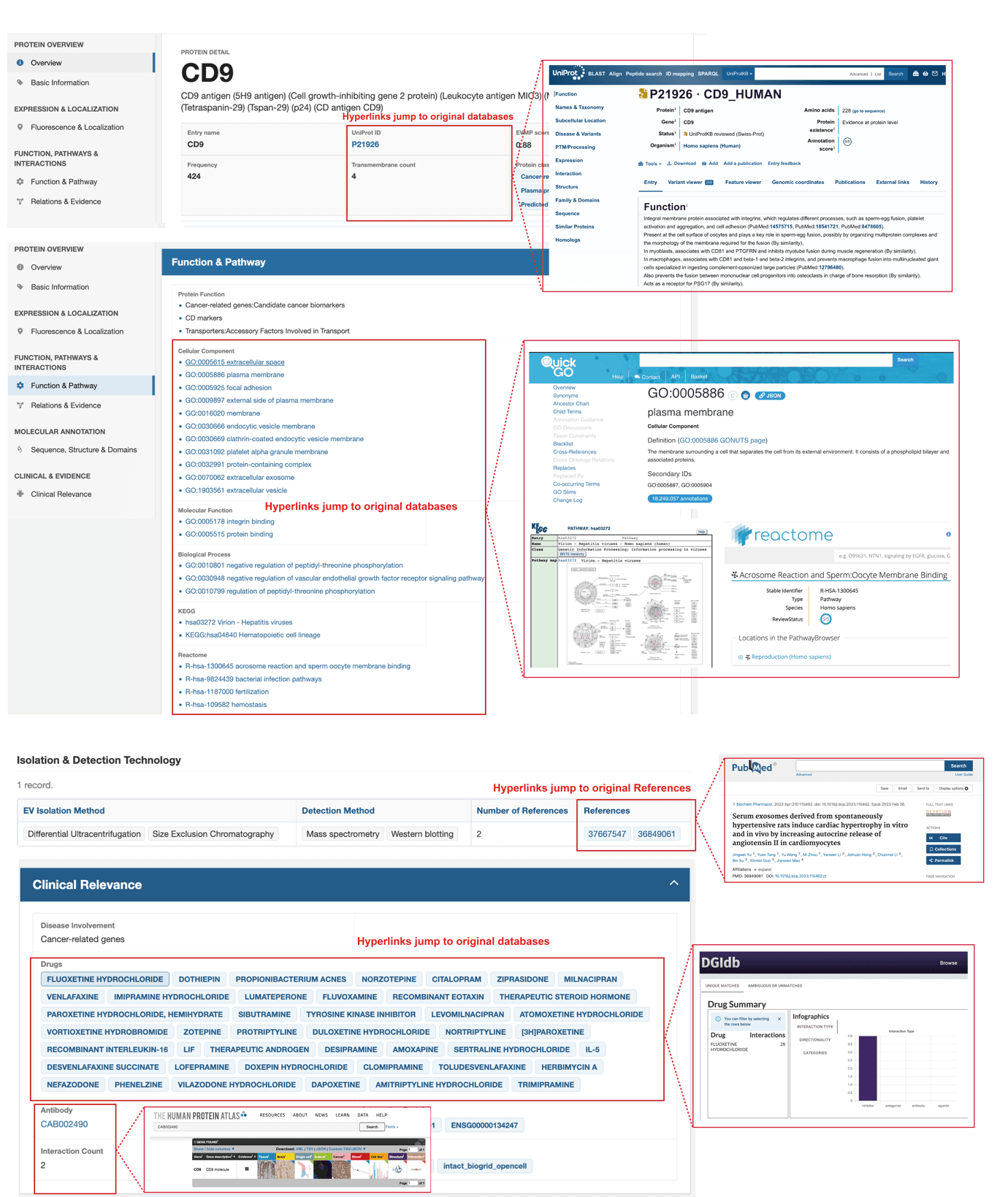
The Browse page supports bulk browsing and downloading of the complete EV membrane protein dataset. Users can also search for a specific protein (CD9 as an example) to open its dedicated detail page. On this page, users may download data related to CD9 and click embedded hyperlinks to redirect to external original databases for full gene and protein annotation resources.
6. How does our team collect and curate extracellular vesicle membrane proteins and supporting literature evidence to construct EV MemProt Atlas?
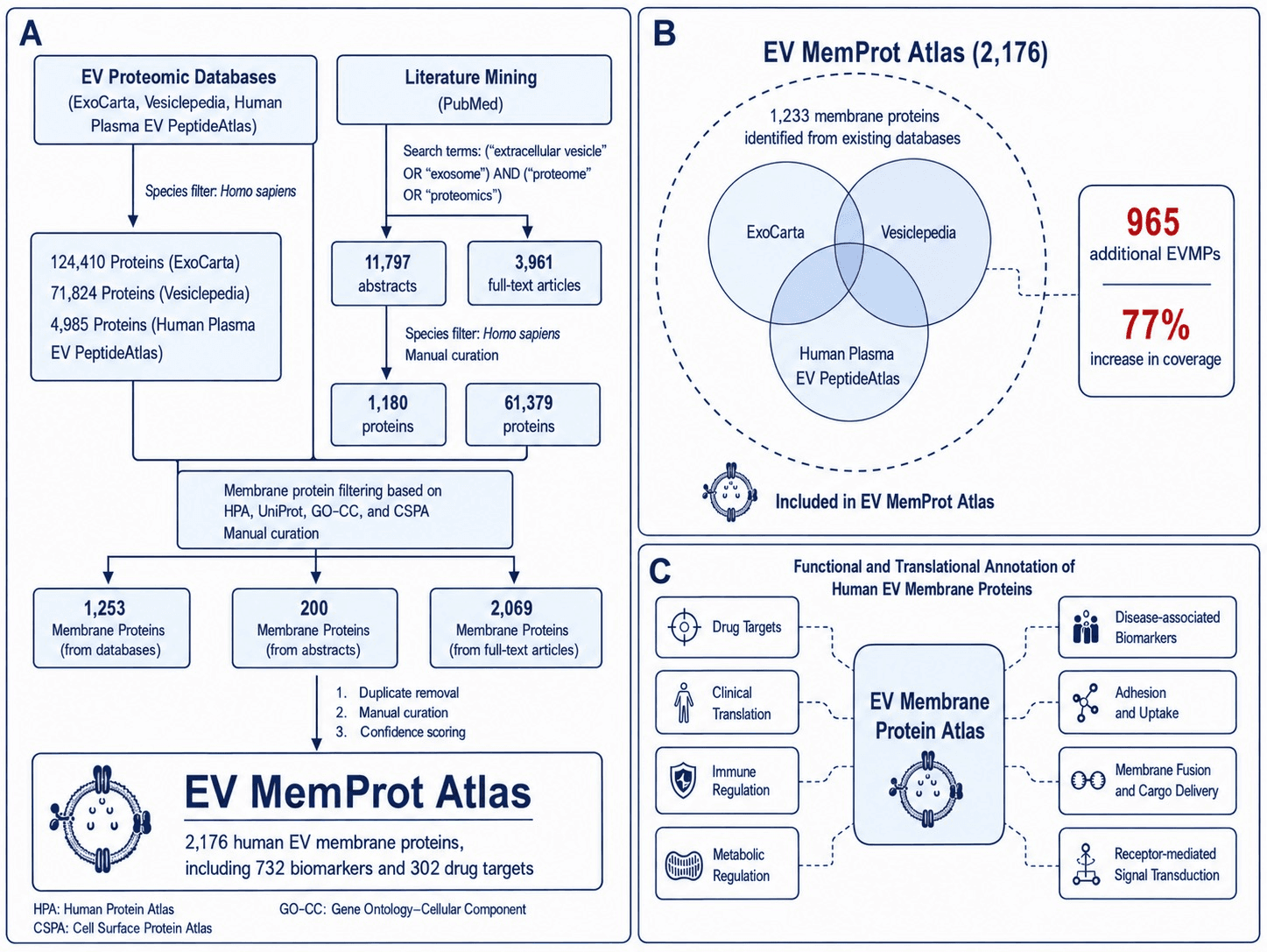
Human EV membrane proteins in EV MemProt Atlas were primarily collected from two categories of evidence sources: EV/exosome database mining and literature mining. Database mining was performed using human EV protein records from public EV-related databases, including ExoCarta, Vesiclepedia, and Human Plasma EV PeptideAtlas, whereas literature mining integrated PubMed-based text-mining results.
To improve data reliability, all candidate EV proteins were further screened using a unified membrane-localization criterion. Specifically, a candidate protein was retained as an EV membrane protein only if it was annotated as a cell membrane-associated protein in at least two of the following four resources: CSPA, UniProt, HPA, and GO-CC.
After data integration and redundancy removal, EV MemProt Atlas contains 2,176 non-redundant human EV membrane proteins. Compared with existing EV protein database resources, EV MemProt Atlas expands the catalog of EV membrane proteins by 923 proteins, representing a 73.7% increase relative to the 1,253 EV membrane proteins represented in existing databases. The database focuses on the systematic integration and annotation of human EV membrane proteins and provides evidence scores, transmembrane topology annotations, biomarker-related information, and drug target annotations. In total, it includes more than 1,200 proteins with transmembrane structural features, 732 biomarker-associated proteins, and 302 drug target-related proteins, providing a valuable reference for EV biology research, disease biomarker discovery, and clinical translation studies.
7. How do we guarantee the data quality of EV MemProt Atlas?
To ensure the reliability of all EV membrane proteins deposited in the database, we built a three-tier quality control system composed of independent manual screening, iterative expert re-review, and quantitative scoring validation.
First, four researchers independently screened all literature sentences linked to candidate EV proteins to retain only credible evidence supporting each protein.
Second, all preliminarily filtered datasets underwent two rounds of rigorous re-curation by a two-person expert panel. The panel manually inspected, validated, and confirmed each candidate protein alongside its supporting evidence one by one to eliminate false-positive entries.
Third, we implemented a dual quantitative scoring framework for supplementary quality evaluation: Supporting publications (n) reports the number of publications supporting each protein, and the EVMP confidence score measures the confidence of its annotation as an EV membrane protein. Only proteins meeting the defined scoring thresholds were retained in the final database.
All records curated manually and validated via quantitative scoring are displayed as verified supporting evidence at the top of each protein's detail page.